Stop chasing room updates.
See room statuses, notes, and priorities together. Ask the team in chat without leaving the work behind.
From direct bookings to guest-ready rooms and post-stay feedback. Roomflow connects your PMS, people, and daily work—so your team can spend less time coordinating and more time looking after guests.
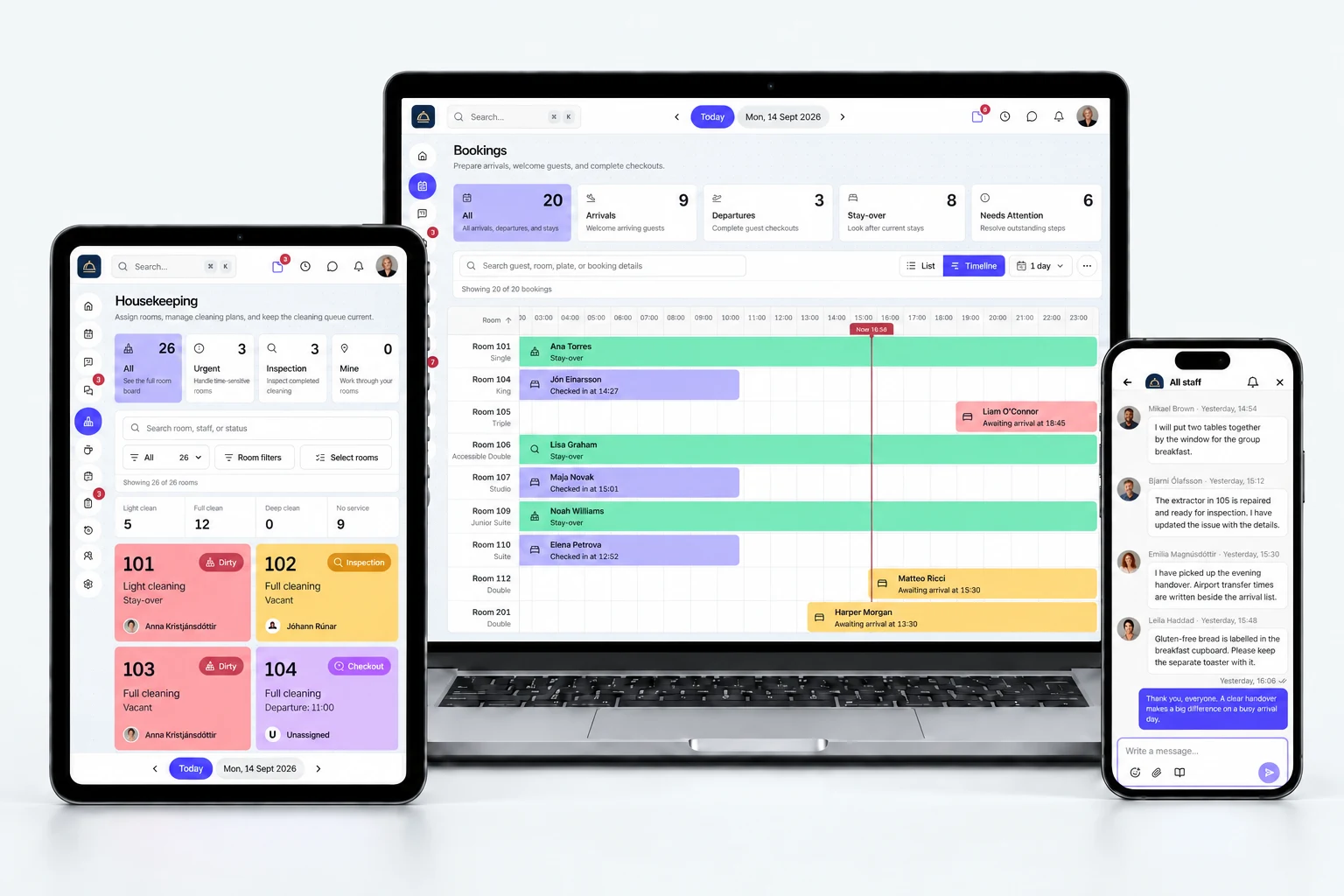
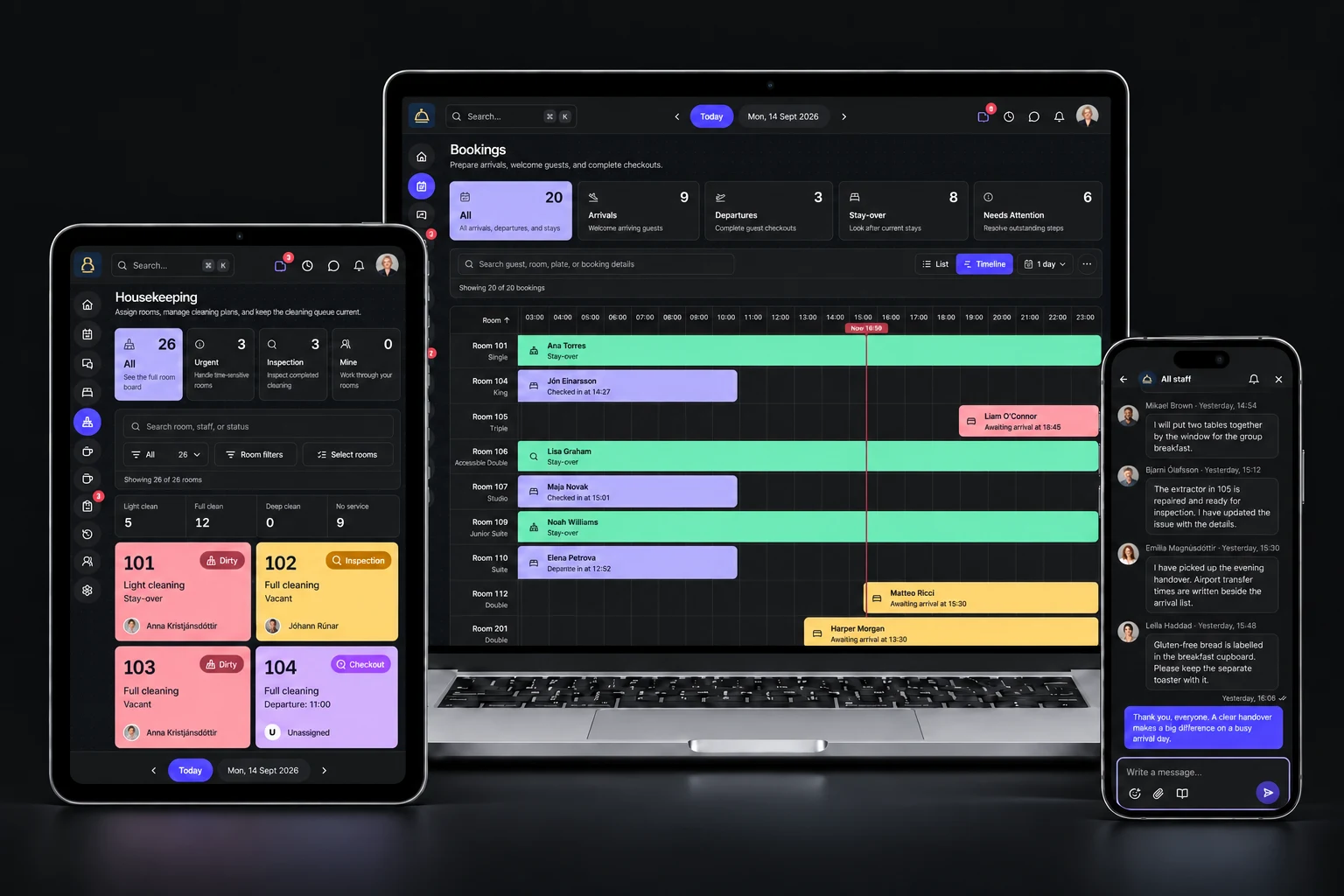
Room updates shouldn’t need a phone call. Keep priorities, room readiness, and open issues in one place, so your people can get on with looking after guests.
See room statuses, notes, and priorities together. Ask the team in chat without leaving the work behind.
Connect cleaning, inspections, and repairs, so reception knows what’s ready—and what still needs attention.
Keep ownership, comments, and how-to guides with the work. The next shift can pick up the task without asking the same questions again.
See how guest stays become clear work for your team. Explore room readiness, shared tasks, hotel guides, and conversations—alongside booking, reviews, staff planning, and metrics.
Your shift, your priorities, and the next job. Start the day with a clear plan.
Actual app · Demo hotel · Click to exploreBring bookings, rooms, and guest context into the day-to-day operation. Connect check-in, checkout, and room-condition updates back to your PMS.
 roomflowOne connected operation
Same property context. Clear next steps for each team.
Guest stays, Housekeeping, and Maintenance come together in Roomflow Operations, with guest messaging and post-stay reviews within Guest stays. Add Staff Management when you want to bring scheduling, attendance, and time off into the same workspace. Team chat, shared tasks, and the Knowledge base keep conversations, instructions, and daily work connected across departments. A connected booking page brings guests into the journey from the start.
Bring the guest journey together, from arrival preparation and registration to guest messaging, breakfast, checkout, and private post-stay feedback.
Assign rooms, track cleaning time, inspect the result, and return work with feedback when something needs attention.
Report a problem once, assign the right person, and follow the repair through. Priorities, due dates, and photos stay with the job.
Bring schedules, attendance, and time off into one place. Give your people a clear view of their shift, tasks, and responsibilities.
Reach all staff, your department, or one colleague. Share a task, booking, or hotel guide in the conversation, and open the context without losing the handover.
Give every job an owner, a priority, and the instructions to do it well. Keep department work, related guides, comments, and supporting files together.
Keep cleaning standards, arrival routines, and handover guides in one searchable place. Link the right article to a task or share it in chat, so the team knows what to do—and how.
Don’t let feedback end at the front desk. Automatically invite guests to share their experience after checkout, then see what worked and what needs attention—with the stay right there for context.
Turn a visit to your website into a stay. Guests choose their dates, find a room, add extras, and share their details in one clear flow—with the reservation connected to your PMS.
See occupancy, arriving guests, cleaning status, and open repairs in one room overview. Open a room for the full context, or filter straight to rooms that are ready or need attention.
Bring scheduled hours, attendance, leave, task completion, and cleaning times into one monthly view. Managers can explore the whole team or one staff member; colleagues see their own metrics.
See what changes for your team.
See Roomflow in actionBring reception, housekeeping, and maintenance into one shared workflow. Roomflow Operations includes all three, with a monthly price based on the size of your hotel.
€149 per property/month
+ €6 per room/month.
Your PMS subscription is separate. We’ll confirm any connection or setup charges, applicable taxes, and contract terms in your quote.
Only need one module? Let’s talkGuest stays, Housekeeping, Maintenance included.
€149 platform + 50 rooms × €6
Scheduling, attendance, and time off. Not required for team access to Operations.
No need to choose a package before your demo.
Roomflow is hotel operations software that connects your PMS with the work your team does every day. Guest stays, Housekeeping, Maintenance, and Staff management share one property workspace. Guest messaging, team chat, a searchable hotel knowledge base, and private guest reviews connect the daily work with the guest experience—from room readiness to post-stay feedback.
Room management brings occupancy, guests, cleaning status, and maintenance into a shared room overview. Filter rooms by readiness or occupancy, search for a room or guest, and open a room for its stay, cleaning, and repair context. Readiness helps teams coordinate; it is not a replacement for PMS availability and booking rules.
Staff metrics compares scheduled and attended hours, approved time off, task completion, and cleaning times for a selected month. Managers with the right permissions can view everyone or filter to one colleague; other team members see their own data. Cleaning averages use recorded timings, and open or overdue work is shown alongside completed tasks.
Yes. Roomflow provides a shareable hotel booking page where guests choose dates and guest counts, view available rooms and rates, add optional extras, and enter their details to book. Reservations connect to your PMS. The page requires a supported PMS connection and configured room rates; we’ll confirm setup, payment options, and any associated charges in your demo.
Roomflow works alongside your PMS. Your PMS remains the home for reservations; Roomflow brings the context into your teams’ daily work, including room readiness, guest service, maintenance, and shift handovers.
Roomflow has a GoDo integration for reservations, rooms, guest context, and operational updates. Tell us which PMS your hotel uses in your demo request, and we’ll confirm the available connection and setup for your property.
Roomflow Operations costs €149 per property per month plus €6 per room. Guest stays, Housekeeping, and Maintenance are included. A 50-room hotel pays €449 per month. Add Staff Management for €5 per managed staff member; with 20 staff, the total is €549 per month. Room-based charges use your total rooms, not occupancy.
The platform fee covers your shared property workspace: dashboard, team chat, shared tasks, Knowledge base, role-based access, and activity history. Together with the room-based charge, it gives your hotel Guest stays, Housekeeping, and Maintenance in the Operations package. The platform fee is charged once per property, including when you add Staff Management.
Operations is priced by your hotel's room count, not by ordinary team access. The separate Staff Management add-on is charged per person managed with scheduling, attendance, and time off. You do not need it just for your team to use Guest stays, Housekeeping, or Maintenance.
Yes. Tell us which workflow you want to improve in your demo request, and we’ll discuss an individual-module quote. You do not need to choose a package before booking a demo.
Your PMS subscription is separate. We’ll confirm any PMS-connection or setup charges, applicable taxes, and contract terms in your quote before you decide.
Yes. The guest inbox brings booking conversations into Roomflow. With a supported GoDo connection, reception can reply through the guest’s existing Airbnb, Booking.com, Expedia, or Vrbo channel. Channel permissions and messaging windows apply; direct bookings and other channels are read-only. Shared read/unread status helps reception coordinate follow-up.
Yes. The Knowledge base keeps hotel procedures, checklists, and how-to articles in one searchable library, organised by department and tag. Managers maintain the content; hotel staff can read it. Link articles to tasks or share them in team chat, so instructions stay close to the work. It is a reference library, not an automated training or certification system.
With automatic review requests enabled, checkout queues a private review link through an existing eligible guest inbox, otherwise through the saved guest email. Staff can request feedback manually when automatic sending is off. Guests leave a 1–5 rating and optional feedback, linked to their stay. Inbox eligibility and the hotel’s email setup determine the available delivery method.
No. These are private reviews collected directly by your hotel, not imported Google or booking-site reviews. Feedback stays in Roomflow for managers and reception, helping you understand the stay and identify improvements. It is not automatically published or shared publicly.
Team chat is for your hotel colleagues: all-staff updates, department conversations, and private one-to-one chats. It supports quoted replies, reactions, read indicators, attachments, and links to hotel articles, tasks, and bookings. The guest inbox is a separate, booking-linked workspace for reception. Guest messages do not appear in staff chat.
Yes. Roomflow adapts to laptop, tablet, and phone screens in your browser. Staff can check their work and use team chat away from the front desk. Available pages and actions follow each person’s role. An internet connection is required.
Breakfast entitlement, attendance, and dietary context sit within Guest stays. Staff management covers staff planning, schedules, attendance, time off, and personal and department work. Each module shares the same property context and role-based access.
Yes. Role-based permissions determine the pages, information, and actions each person can access. Reception, housekeeping, breakfast, maintenance, and managers can work in the same platform with the access appropriate to their job.
We’ll follow up by email to arrange a walkthrough. We’ll look at your team’s day, the handoffs you want to improve, and your PMS connection, so you can see whether Roomflow fits your hotel.
Bring your toughest handoff. We’ll show how Roomflow connects the work around it, walk through your PMS setup, and explore what fits your team. Just one workflow in mind? Tell us about it.
Start with the handoffs that slow your team down.
Explore the journey from a ready room to guest feedback.
Understand your PMS connection, setup, and monthly price.
Tell us about your hotel. We’ll tailor the walkthrough to your team.